
In this video, we will explore what CEM Orchestration is and how to access your CEM Orchestration Workflows.
Go to manager.everbridge.net
1. Access Workflow Section
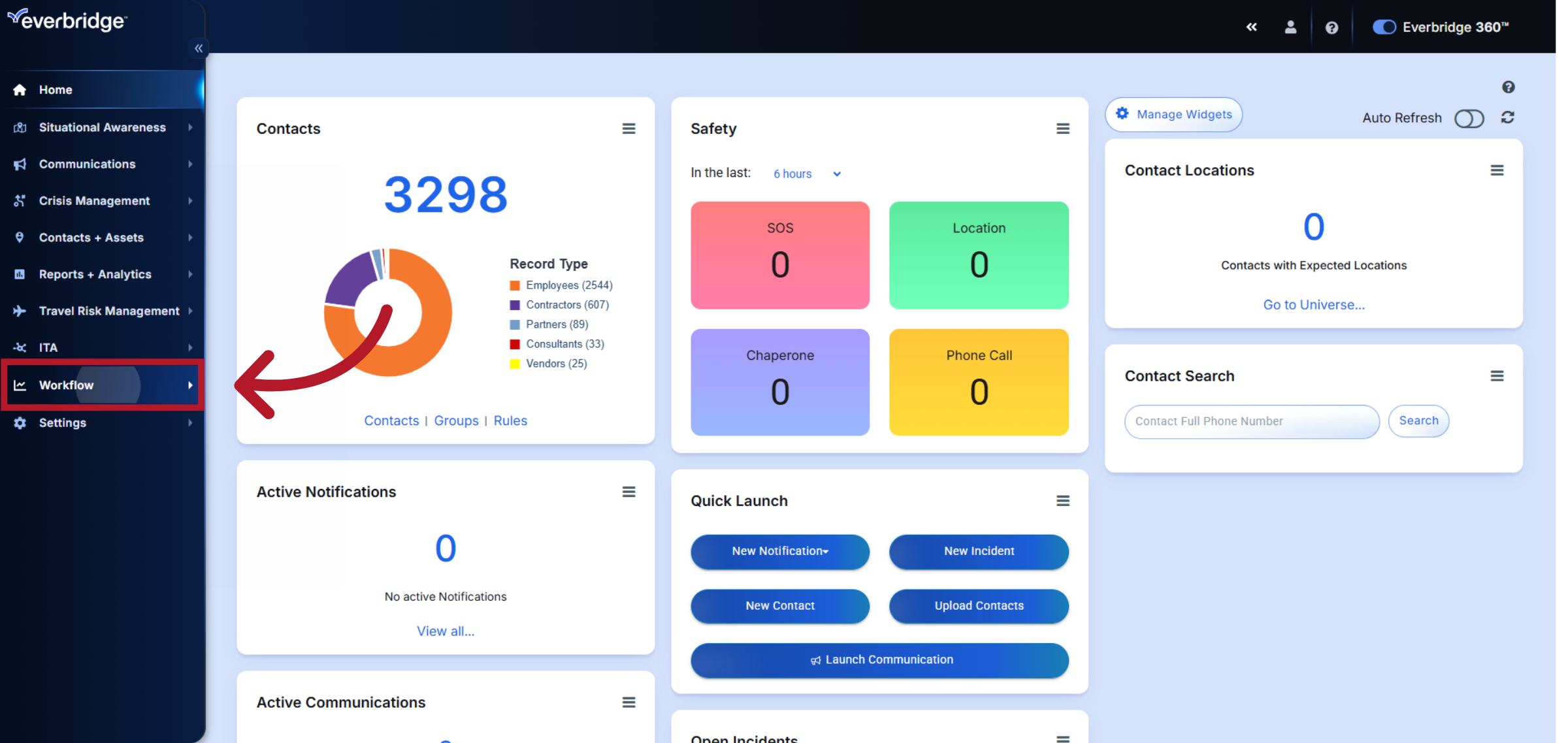
CEM Orchestration is the platform for managing alerts and automated communications in response to risk events affecting your personnel and assets. To view CEM Orchestration workflows, click the "Workflow" tab.
2. Open CEM Orchestration
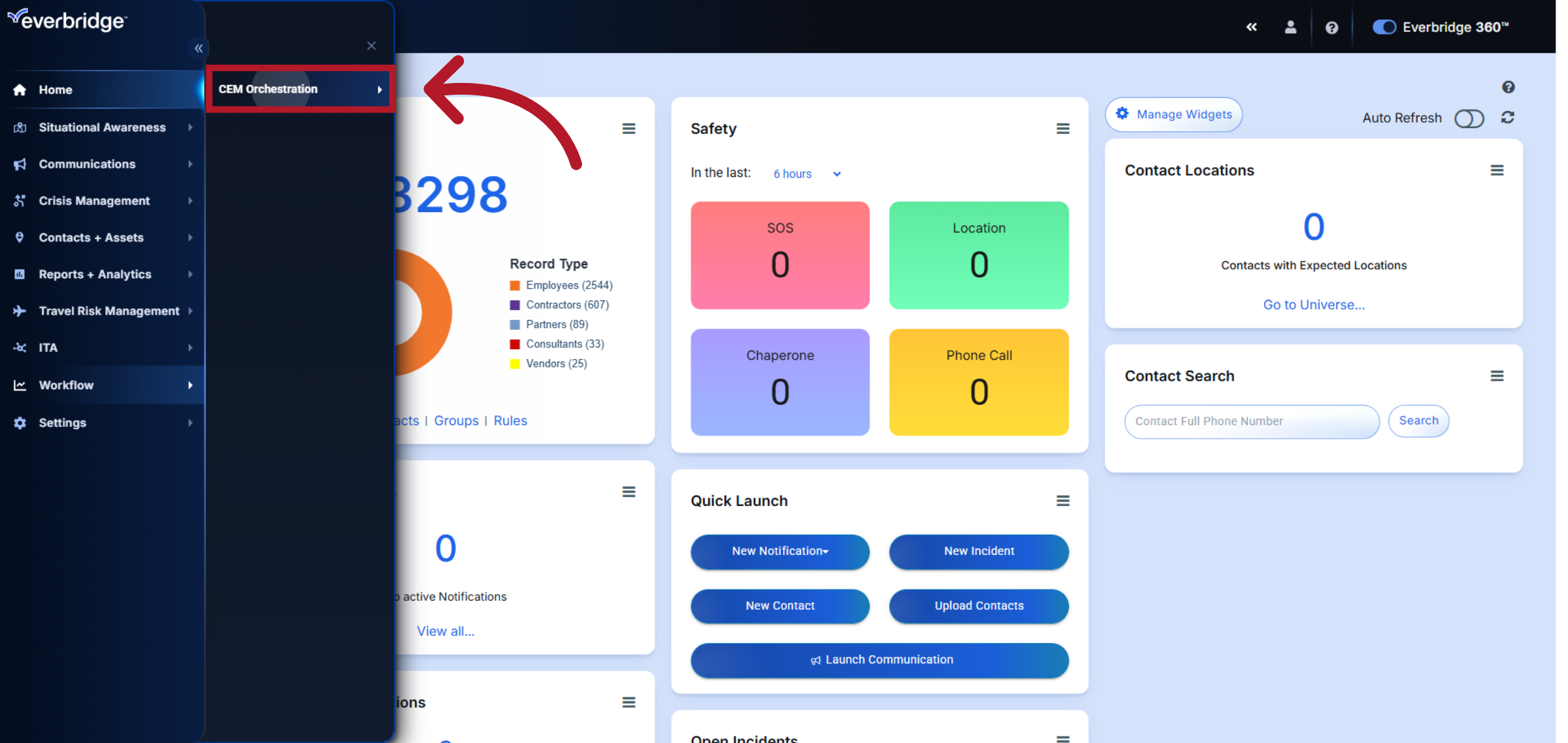
Next, click the "CEM Orchestration" tab.
3. View Workflow List
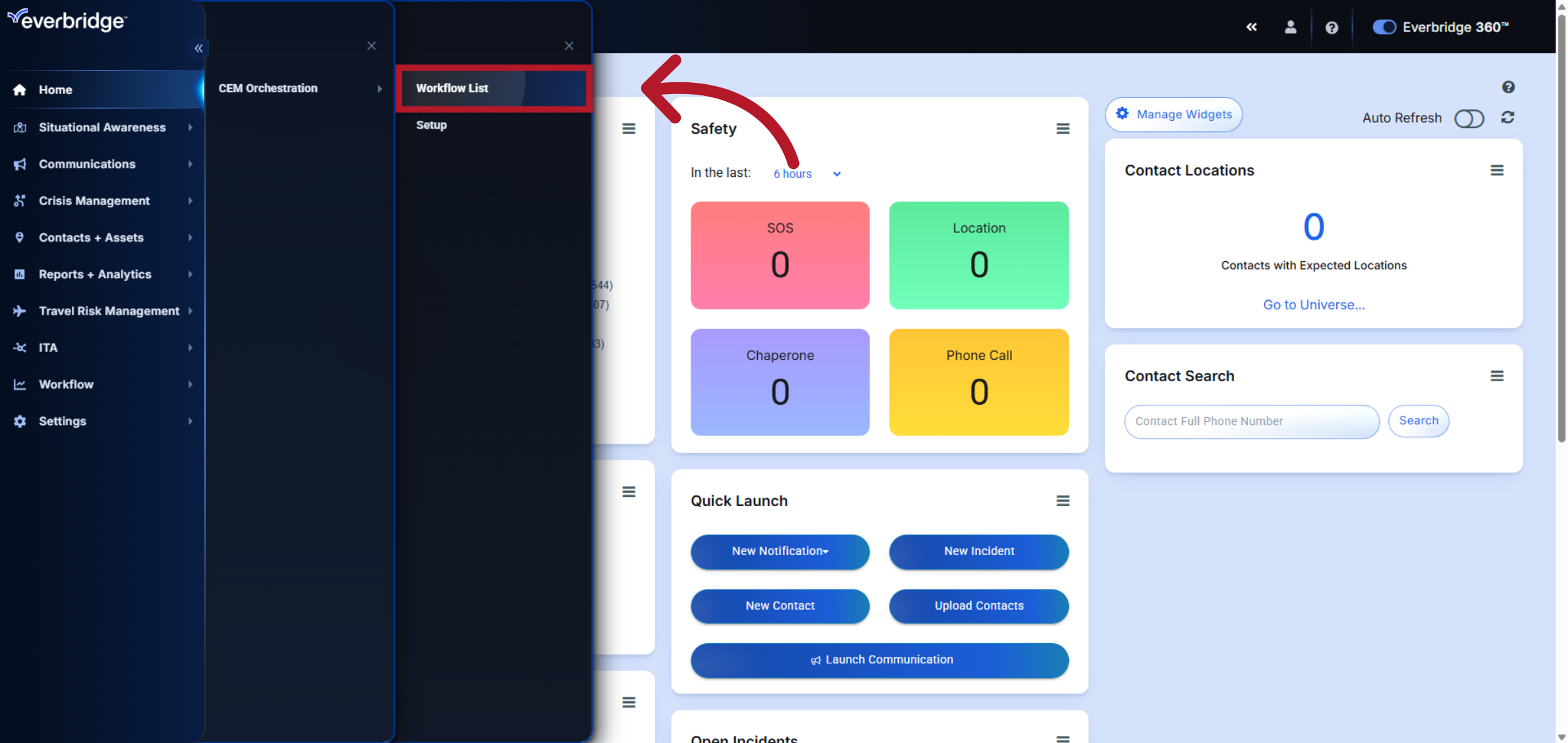
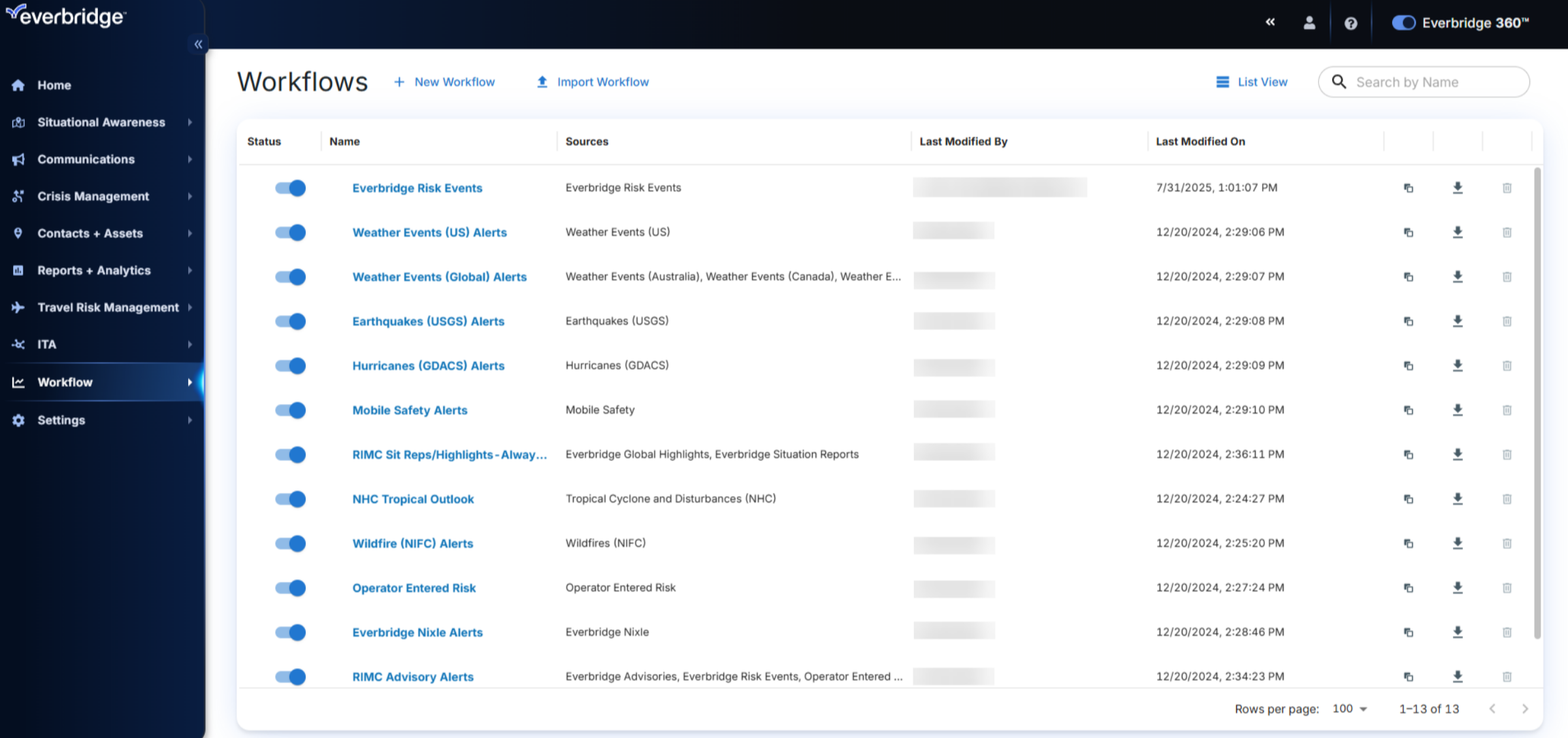
Then, click "Workflow List" to display all configured workflows, allowing you to review and manage existing processes efficiently.
4. Workflow List
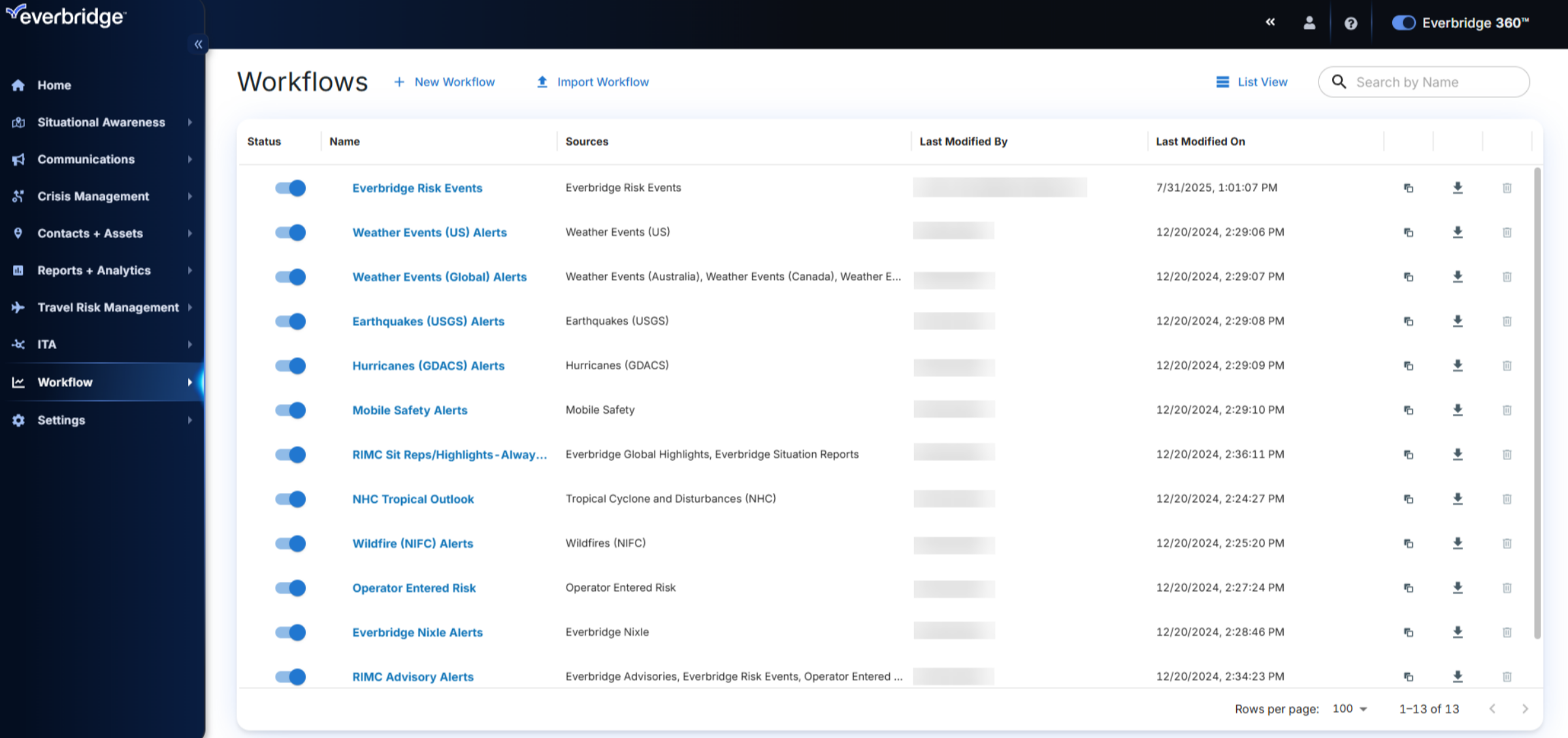
In the Workflow list you can organize your response using workflows, each designed to handle specific types of risk events.
5. Access Workflow Management
Within each workflow, you can configure rules that determine how your organization responds. In this example we'll look at the Everbridge Risk Events workflow.
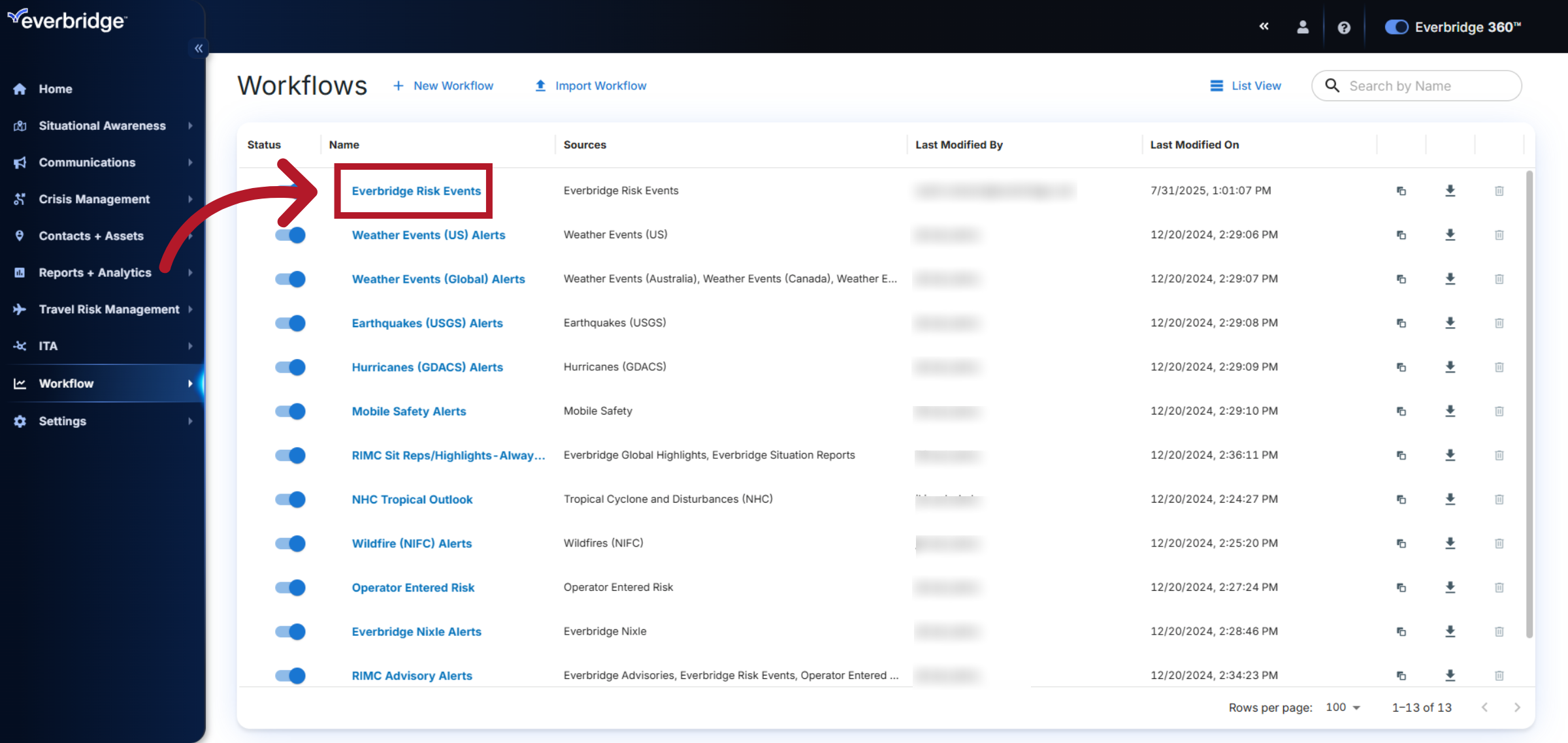
6. Select Risk Events Workflow
Each workflow includes a set of rules that enable you to customize alerts according to the type of risk event, the individuals impacted, and the assets involved. In this example let’s examine the Terrorism/Suspicious Activity alerts rule.
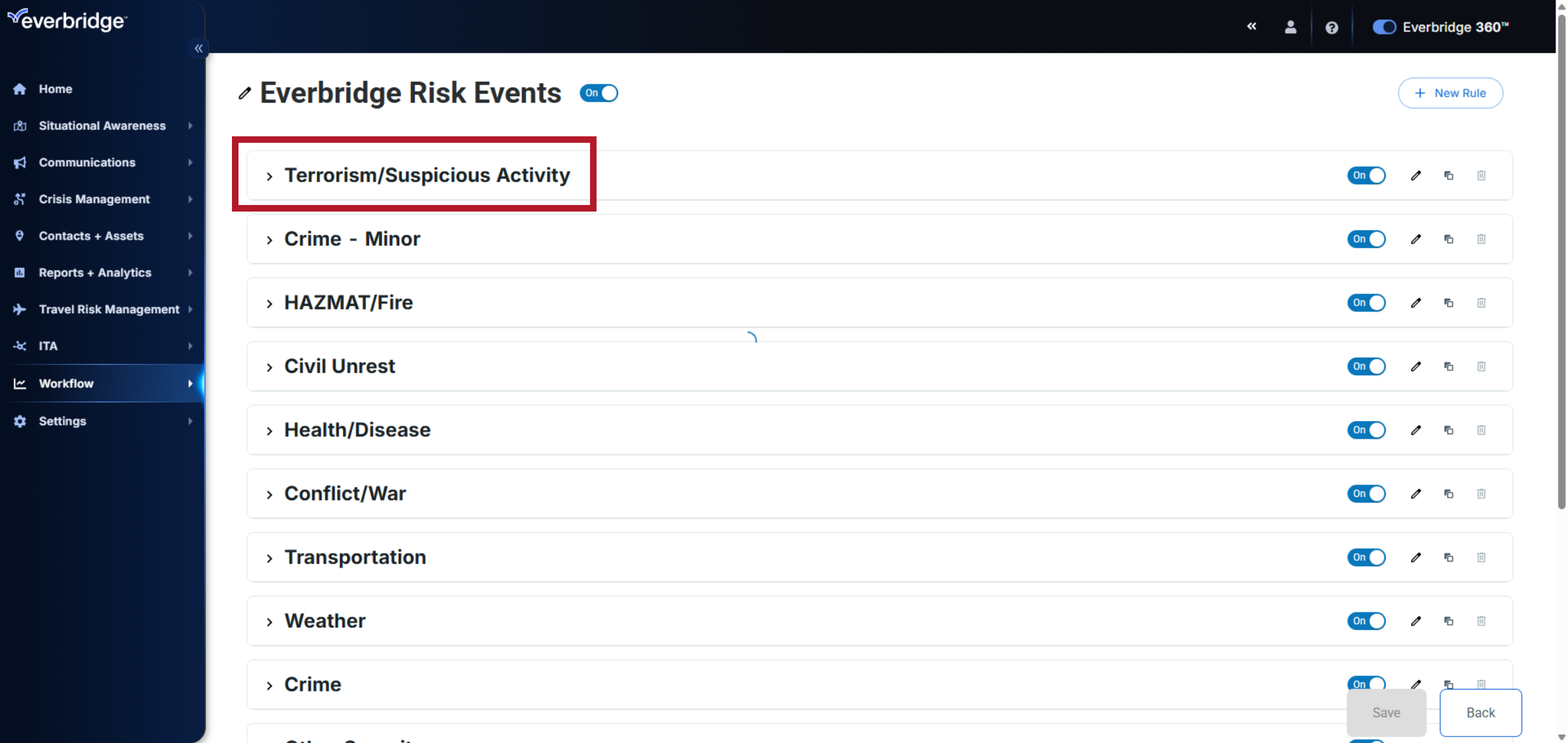
7. Severity
In the rule settings, you can view and update the Severity.
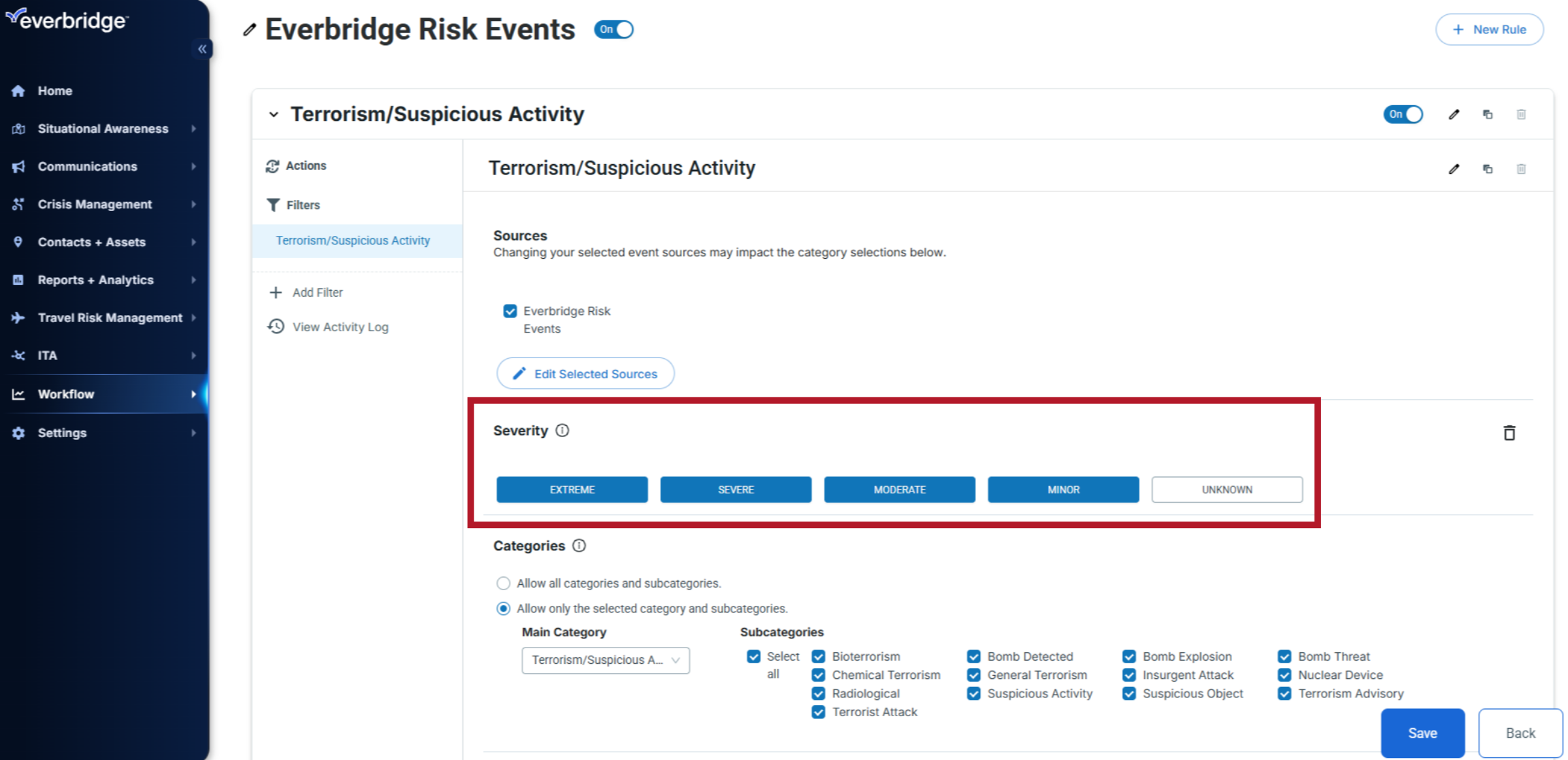
8. Categories
View, update, or modify the selected categories and subcategories.
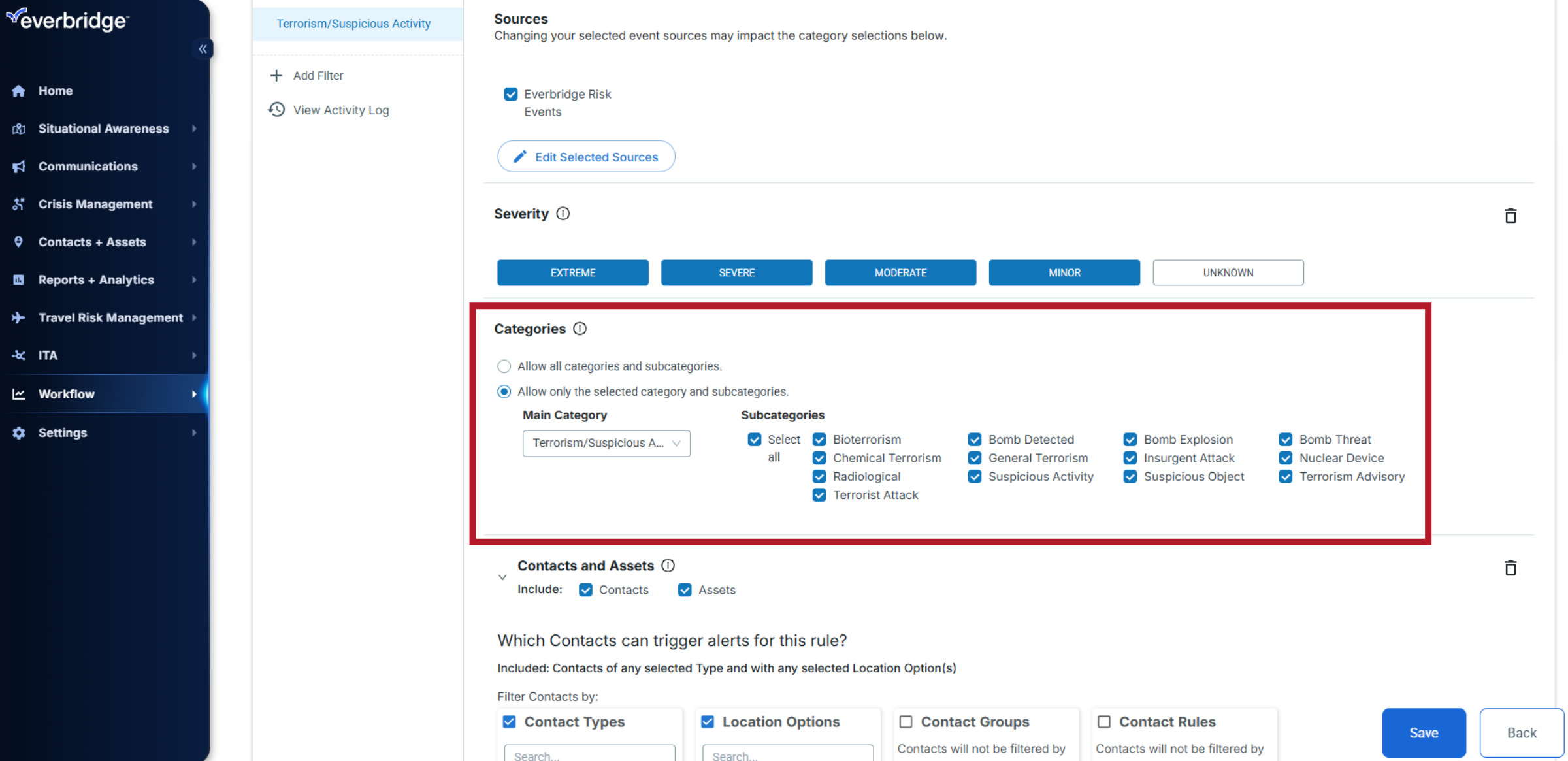
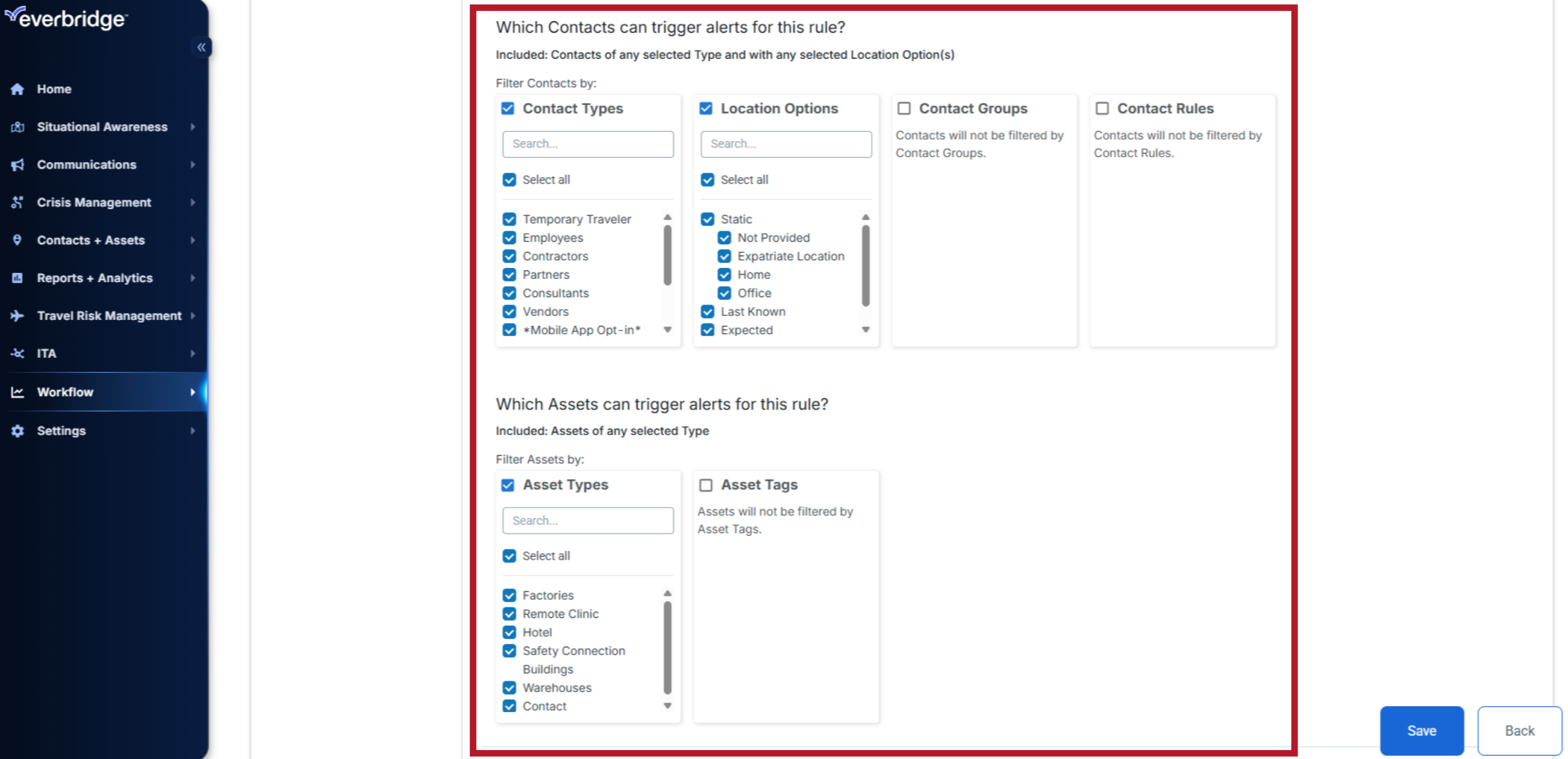
9. Contacts/Assets
View, update, or modify the selected Contact Types and Location options to determine which contacts can trigger alerts for this rule. Along with which asset types and asset tags can trigger the alerts.
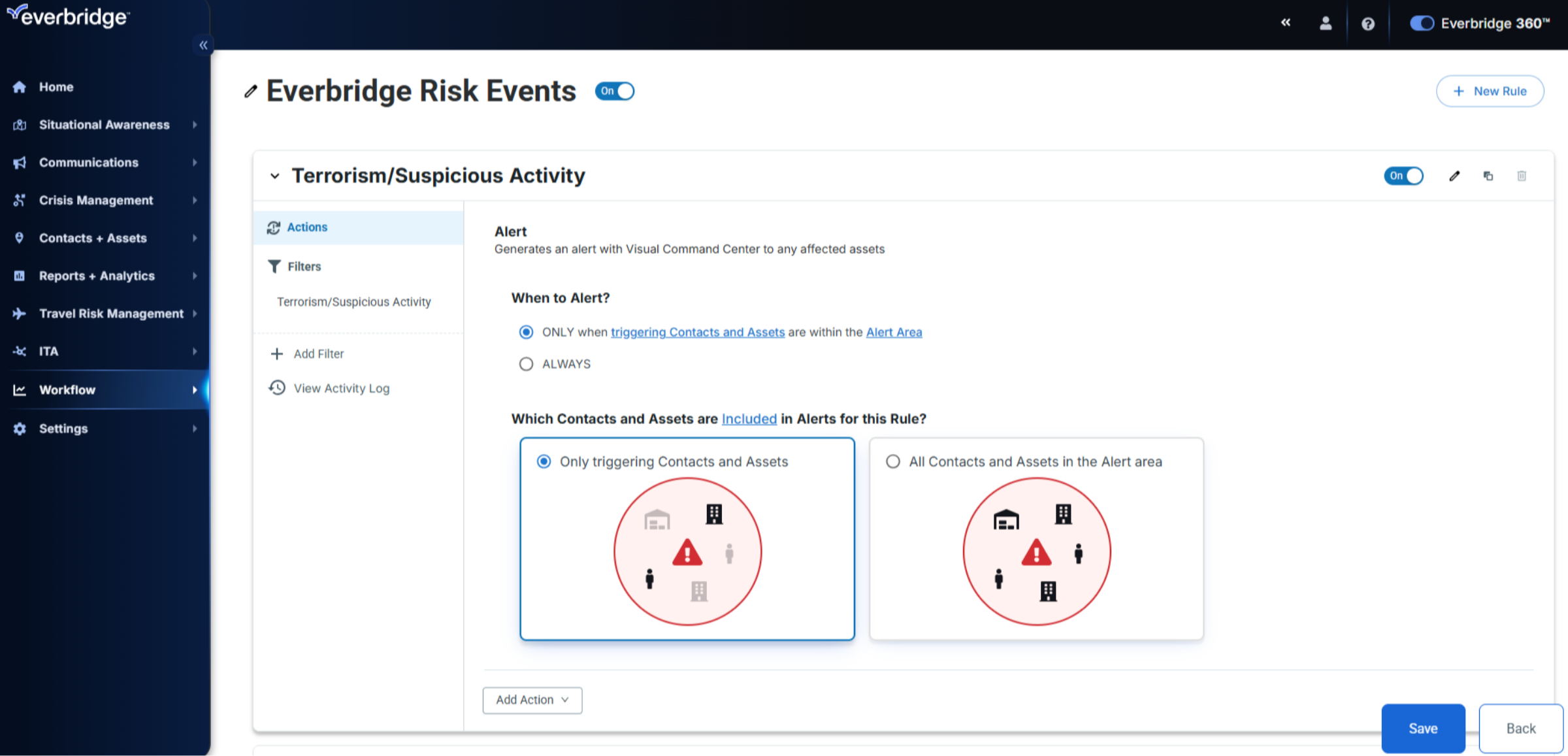
10. Actions
The Actions tab defines what happens when a rule is triggered, such as who receives communications and how alerts are generated. It can also include contacts associated with affected assets to ensure the right people are notified based on impact.
11. Workflow List
You can group all your rules into workflows, manage them by risk type, and customize them based on your organization’s needs.
In summary, CEM Orchestration helps you streamline alerting, automate response, and ensure the right people and assets are protected when risk events occur.